

Table of Contents
This post contains affiliate links. If you buy through them, we may earn a small commission at no extra cost to you.
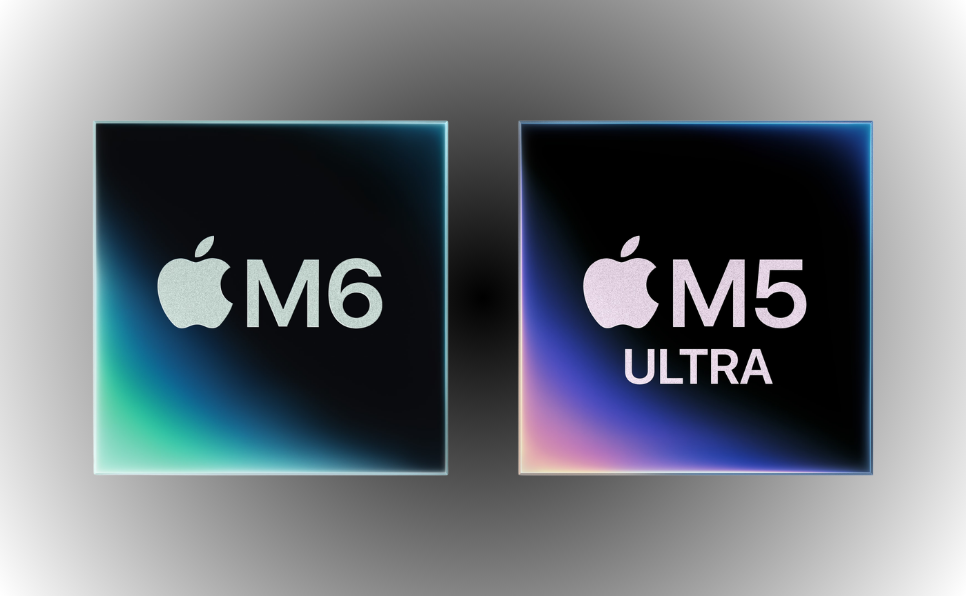
M6 Mac Mini and M5 Ultra Mac Studio: Apple’s 2nm Desktop Powerhouses Explained


Apple continues to challenge conventional thinking about desktop performance. The M6 Mac Mini and M5 Ultra Mac Studio demonstrate how advanced processing technology can deliver extraordinary computing power without requiring an oversized workstation.
The Mac Mini remains one of Apple’s most compact desktop computers. Its small aluminum enclosure can fit into almost any workspace while providing the functionality of a complete computer when connected to a monitor, keyboard, and mouse.
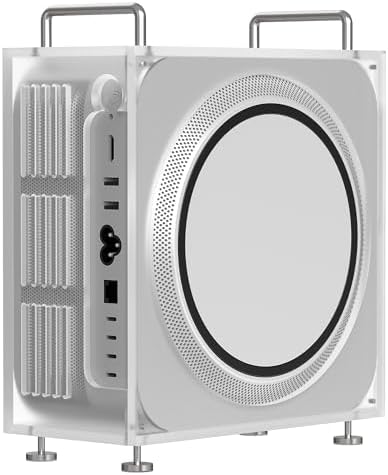
The Mac Studio takes a more performance-driven approach. Although it retains a relatively compact design, it is built for professionals handling demanding creative, technical, and artificial intelligence workloads.
Together, the M6 Mac Mini and M5 Ultra Mac Studio represent two distinct interpretations of modern desktop computing. One prioritizes accessibility and compact efficiency, while the other targets professionals who need workstation-class performance.
In this article, we will examine:
- What a 2nm processor means
- How 2nm Apple silicon could improve performance
- The role of Apple’s unified memory architecture
- The capabilities of the M5 Ultra processor
- The key differences between the Mac Mini and Mac Studio
- Which desktop is best suited to each type of user
What Is a 2nm Processor?
A processor built using 2-nanometer manufacturing technology contains transistors and components produced at an exceptionally small scale.
A nanometer is one-billionth of a meter. However, the term “2nm” should not be interpreted as the exact physical measurement of every transistor inside the processor. In modern semiconductor manufacturing, process names primarily represent a generation of chip technology.
The takeaway is simple: smaller, more advanced manufacturing processes generally let engineers fit more transistors into a limited area.
More transistors can provide several important benefits:
- Greater processing performance
- Improved energy efficiency
- Better graphics capabilities
- Faster artificial intelligence operations
- Reduced heat generation
- More computing power within compact devices
The progress becomes more impressive when viewed historically. In the late 1980s, many processors were manufactured using processes measured in hundreds of nanometers. Modern chips have reduced that scale dramatically while simultaneously increasing performance, efficiency, and functional complexity.
This advancement lets a small desktop computer such as the Mac mini perform tasks that once required considerably larger machines.
The transition to 2nm Apple silicon is therefore not simply about producing a smaller processor. It represents a broader effort to deliver higher performance while controlling energy consumption and heat.
That balance is essential for Apple’s desktop strategy. Both the Mac Mini and Mac Studio are designed to deliver significant computing power without the size, noise, and power demands traditionally associated with high-performance workstations.
How 2nm Apple Silicon Improves Performance
A modern processor is not a standalone component. It brings together processing cores, graphics hardware, memory controllers, artificial intelligence accelerators, and other specialized technologies.
Apple silicon integrates many of these components into a system-on-a-chip, commonly known as an SoC.
This integrated design reduces the distance that information must travel between different parts of the computer. Faster internal communication can improve overall responsiveness while reducing the energy required to move data.
The potential advantages of 2nm Apple silicon include:
- More transistors within the same chip area
- Higher performance for demanding applications
- Better performance per watt
- Greater efficiency during lighter workloads
- Improved thermal management
- More space for specialized processing engines
These improvements matter because raw speed is no longer the only measure of a powerful computer. Efficiency has become equally important.
A processor that delivers strong performance without generating excessive heat can maintain that performance more consistently. It can also operate inside a smaller enclosure with less cooling equipment.
That is particularly valuable for the Mac Mini. Its compact design leaves less physical space for fans, heat sinks, and other cooling components than a traditional desktop tower.
Advanced chip manufacturing lets Apple increase performance without abandoning the Mac Mini’s defining advantage: its remarkably small footprint.
Understanding Apple’s Unified Memory Architecture
Unified memory is another major part of the M6 Mac Mini and M5 Ultra Mac Studio experience.
In many traditional computers, the central processor and graphics processor use separate memory pools. Data may need to be copied between those pools, which can introduce delays and consume additional energy.
Apple’s unified memory architecture allows different processing components to access the same high-speed memory pool.
This approach can provide several advantages:
- Faster access to shared information
- Reduced duplication of data
- More efficient use of available memory
- Smoother performance across applications
- Better handling of large creative and AI workloads
Unified memory is especially valuable for tasks involving large files or complex datasets. Video editors, developers, 3D artists, and AI professionals frequently work with information that must move rapidly between the CPU, GPU, NPU, and specialized accelerators.
Instead of repeatedly copying that data across separate systems, Apple silicon can access it through a shared architecture.
The result is a tightly integrated platform in which the hardware, operating system, and professional applications are designed to work together.
M5 Ultra Performance and Capabilities
The M5 Ultra Mac Studio sits at the high-performance end of Apple’s desktop lineup.
While the Mac mini balances affordability, size, and performance, the Mac Studio is built for sustained professional workloads. It is intended for users who need significantly more processing, graphics, memory, and connectivity.
M5 Ultra performance is particularly relevant for professionals working with:
- Local large language models
- Machine-learning research and AI Development
- Advanced software engineering
- 3D modeling and animation
- High-resolution video production
- Scientific simulations
- Complex data analysis
- Professional audio production
The Mac Studio’s architecture is designed to keep massive quantities of data moving quickly between the processor and unified memory.
High memory bandwidth is critical for modern AI applications. Large language models and machine-learning systems often require rapid access to billions of parameters. If the processor cannot access the necessary information quickly enough, the entire workload can slow down.
A high-bandwidth unified memory system reduces that bottleneck and allows the hardware to spend more time processing data rather than waiting for it.
This capability could make the M5 Ultra Mac Studio particularly attractive to organizations that want to run AI models locally.
Local AI processing offers several potential advantages:
- Greater control over sensitive information
- Reduced reliance on cloud services
- Faster access to frequently used models
- More predictable long-term infrastructure costs
- The ability to work locally without an internet connection
The Mac Studio can also support demanding multi-display environments. That makes it suitable for creative studios, financial workstations, software development teams, and technical professionals who need several applications and visual tools open at once.
Mac Mini vs Mac Studio: Which One Should You Choose?


Choosing the Mac Mini and Mac Studio depends less on which machine is technically superior and more on which one matches your workload.
The most expensive configuration is not automatically the best choice. A powerful desktop that remains underused provides little practical value, while an affordable machine that constantly reaches its limits can reduce productivity.
Users generally fall into four categories.
1. Basic Users
Basic users mainly need a desktop for everyday activities such as:
- Browsing the internet
- Managing email
- Streaming entertainment
- Attending video meetings
- Editing documents
- Completing school assignments
- Using standard productivity applications
For this group, an entry-level Mac Mini should provide more than enough performance. Its compact size and lower starting cost make it a practical option for homes, schools, reception areas, and general office environments.
2. Professional Users
Professional users may regularly work with:
- Large spreadsheets
- Business applications
- Software development tools
- Photo-editing programs
- Content-management systems
- Moderate video projects
- Multiple applications at once
A higher-memory Mac Mini may be the best fit for these workloads. It offers extra performance headroom while keeping the Mac Mini’s compact design and accessible price point.
3. Advanced Creative and Technical Users
Advanced users often handle sustained workloads that place greater pressure on the processor, graphics system, and memory.
These workloads may include:
- High-resolution video editing
- Music production with large project files
- Professional photography workflows
- Application development
- 3D design
- Data analysis
- Complex multitasking
For these users, the Mac Studio becomes the stronger choice. Its improved processing power, graphics capabilities, memory options, and connectivity suit demanding professional environments.
4. Ultimate Performance Users
The highest-end Mac Studio configurations are designed for users who operate at the edge of desktop computing.
Potential users include:
- AI researchers
- Machine-learning engineers
- Visual-effects studios
- Animation teams
- Scientific researchers
- Advanced software developers
- Data scientists
- Organizations deploying local AI systems
For this group, maximum performance is not merely convenient. It can directly influence project completion times, productivity, and the scale of work that can be completed locally.
Why Apple’s Integrated Ecosystem Matters
Apple’s competitive advantage extends beyond the processor itself.
The company controls the design of its hardware, operating system, and many of the technologies that connect its devices. This gives Apple greater control over how each component communicates and performs.
The M6 Mac Mini and M5 Ultra Mac Studio benefit from this integrated ecosystem through:
- Tight coordination between hardware and macOS
- Applications optimized for Apple silicon
- Shared workflows across Apple devices
- Efficient power and thermal management
- Consistent security and privacy features
Apple’s ecosystem approach allows the company to optimize the entire computing experience rather than focusing exclusively on processor specifications.
This is one reason you can’t judge performance by comparing individual numbers alone. Memory bandwidth, software optimization, thermal design, and application support can matter as much as processor speed.

Final Thoughts
The M6 Mac Mini and M5 Ultra Mac Studio represent two powerful but fundamentally different desktop solutions.
The Mac Mini is the more accessible option. It delivers modern Apple silicon performance in a remarkably compact form and suits students, families, professionals, developers, and everyday business users.
The Mac Studio is built for higher demands. Its advanced architecture, greater memory options, powerful graphics performance, and support for intensive AI and creative workloads make it a serious professional workstation.
The best option varies based on the computer’s intended use.
- Choose the Mac Mini for everyday productivity, education, development, and moderate creative work.
- Choose a higher-memory Mac Mini for professional multitasking and more demanding applications.
- Choose the Mac Studio for sustained creative, technical, and computational workloads.
- Choose an M5 Ultra configuration when AI development, high-end media production, or advanced research requires maximum local performance.
Ultimately, Apple’s latest desktop direction shows how far compact computing has evolved. A small aluminum enclosure can now deliver capabilities that once demanded a large, power-hungry workstation.
With 2nm Apple silicon, unified memory, high-bandwidth architecture, and increasingly powerful AI capabilities, the future of desktop performance is becoming smaller, faster, and significantly more efficient.