


Table of Contents
This post contains affiliate links. If you buy through them, we may earn a small commission at no extra cost to you.
M5 vs M5 Pro vs M5 Max, The Ultimate 5‑Year MacBook Buying Guide
Who Really Needs M5, M5 Pro, and M5 Max?
Apple’s M‑series chips have completely reshaped what we expect from laptops. With the latest M5 family powering the MacBook Air and MacBook Pro lineup, buyers suddenly have more choice than ever — and a lot more confusion.
Do you really need the raw power of M5 Max? Is the M5 Pro worth the upgrade? Or will the regular M5 chip easily carry you for the next 3–5 years?
In this guide, you’ll get a clear, no‑nonsense breakdown of:
- The key differences between M5 vs M5 Pro vs M5 Max
- Which chip is right for students, professionals, creators, and power users
- How to choose between MacBook Air and MacBook Pro
- How to configure RAM and storage so your MacBook stays powerful for up to 5 years
By the end, you’ll know exactly which MacBook to buy and why, without overpaying for performance you’ll never use.
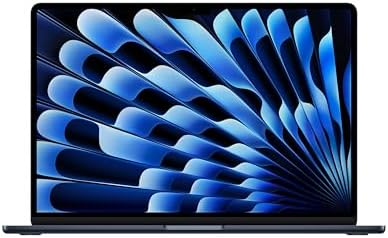

MacBook Air vs MacBook Pro: Quick Overview
Before we dive into the chips, let’s look at the MacBook lineup powered by M5.
MacBook Lineup at a Glance
| Brand | MacBook Air | MacBook Pro |
| Size | 13 and 15 inches | 14 and 16 inches |
| Colors | Silver, Sky Blue, Starlight, Midnight | Silver, Space Black |
| RAM | 16–32 GB | 16–128 GB |
| Storage | 512 GB – 4 TB | 1 TB – 8 TB |
| Processor | M5 | M5, M5 Pro, M5 Max |
| Price (from) | $1,299 (13″) / $1,599 (15″) | $1,999 (14″) / $2,999 (16″) |
| Display | Standard | Standard or Nano‑Texture |
| Ports | 4 ports | 7 ports |
MacBook Air with M5 is built for:
- Portability and all‑day battery life
- Light to medium workloads
- Users who want a thin, silent laptop that still feels incredibly fast
MacBook Pro with M5 vs M5 Pro vs M5 Max is built for:
- Sustained, heavy workloads
- Advanced creative and technical work
- Users who routinely push CPU, GPU, and memory to their limits
If you’re deciding between the M5 MacBook Air vs Pro, your workflow and plans matter more than the raw specs alone.
Understanding the M5 Chip Family
The M5 family powers both the Air and Pro — but not all M5 chips are created equal.
At a high level:
- M5 → Best for everyday users, students, business professionals
- M5 Pro → Best for heavy multitaskers, developers, and pros working with large files
- M5 Max → Best for high‑end creators, 3D artists, and AI / LLM workloads
Let’s break them down.
M5 Chip: The Everyday Powerhouse
The base M5 chip powers both MacBook Air and entry‑level MacBook Pro models. It delivers more than enough performance for most people — and is often underestimated.
How M5 Performs
- Fast, efficient CPU and GPU cores for office work, browsing, content consumption, and coding
- Excellent battery efficiency thanks to Apple Silicon architecture
- Unified memory design that keeps macOS feeling smooth even with many apps open
Cooling: Air vs Pro
The chip is the same, but the cooling is not.
- MacBook Air (M5)
- Uses a fanless heatsink design
- Completely silent
- Ideal for light to moderate sustained workloads
- MacBook Pro (M5)
- Uses a robust cooling system with a fan
- Handles long‑running workloads more comfortably
- Better at maintaining peak performance under heavy load
Who Should Choose M5?
The regular M5 is ideal if you:
- Travel frequently and value lightweight, silent performance
- Spend most of your day in email, documents, spreadsheets, web apps, and video calls
- Do light photo editing, basic video trimming, or coding
Recommended configurations for a 3–5 year lifespan:
- Executives, small business owners, solo entrepreneurs
- MacBook Air 13‑inch (M5)
- 16 GB RAM, 1 TB storage
- Great for productivity apps, CRM tools, and cloud‑based workflows
- Students
- MacBook Air 15‑inch (M5)
- 16 GB RAM, 512 GB storage (or higher if you store a lot locally)
- Perfect for note‑taking, research, light creative work, and extra screen real estate
If your work is mostly text, web, and cloud apps, the M5 MacBook Air vs Pro usually comes down to this: do you need more ports, a brighter display, and better cooling? If not, the Air is typically the smarter buy.

M5 Pro Chip: For Heavy Multitaskers and Large Files
The M5 Pro sits squarely in the middle of the lineup, but for many professionals, it’s actually the sweet spot.
What Makes M5 Pro Different?
Compared to the regular M5, M5 Pro typically offers:
- More CPU cores → better performance in highly threaded tasks
- More GPU cores → smoother performance in graphics‑intensive apps
- Higher memory bandwidth → significantly faster data transfer between memory and the chip
Why Memory Bandwidth Matters
Memory bandwidth is how quickly data can move from storage into memory and then to the CPU/GPU for processing. This matters when you:
- Open large files (video projects, design files, databases)
- Work with multiple heavy apps at once (e.g., Figma, Xcode, Chrome, Slack, Zoom, and a local database)
- Need responsive performance even when your system is under stress
With higher memory bandwidth, the M5 Pro keeps things fluid instead of forcing you to wait for data to load in smaller chunks.
Cooling and Thermal Performance
MacBook Pro models configured with M5 Pro generally feature a dual‑fan cooling system, which delivers:
- Better heat dissipation under long, intense workloads
- More consistent performance without aggressive thermal throttling
- Greater stability for people who push their machine for many hours a day
We know that when systems overheat, performance can drop dramatically — sometimes up to 60% — until temperatures normalize. The Pro‑class cooling system minimizes those slowdowns.
Who Should Choose M5 Pro?
Choose M5 Pro if you:
- Work with high‑resolution photos, layered design files, or complex spreadsheets
- Run multiple pro apps at once and hate slowdowns
- Are you a developer compiling large projects, running local services, or multitasking heavily
This is often the best choice for those searching for the best MacBook for productivity — especially if your day involves more than just browser tabs.
M5 Max Chip: Built for Creators and AI Power Users
At the top of the stack sits M5 Max — a chip built for people who regularly hit the limits of other systems.
What Sets M5 Max Apart?
Compared to the base M5, M5 Max offers:
- The highest memory bandwidth in the M5 lineup
- Support for much larger unified memory capacities (up to 4× more than M5, depending on configuration)
- A significantly more powerful GPU for graphics‑heavy workloads
Ideal Workloads for M5 Max
Choose M5 Max if you regularly do any of the following:
- Run local LLMs (Large Language Models) for AI development or experimentation
- Perform high‑capacity 3D rendering, simulations, or complex animations
- Work in game design, motion graphics, or advanced visual effects
- Use your Mac as a full DAW (Digital Audio Workstation) with huge sessions, plugins, and virtual instruments
- Handle multi‑stream 4K or 8K video editing, color grading, and export
In these scenarios, Apple M5 Max performance really pays off. The extra memory bandwidth and GPU power directly translate into faster renders, smoother timelines, and shorter export times.
A Word of Caution
It’s tempting to buy the “Max” just because it sounds like the best MacBook for productivity. But:
- If you don’t run heavy creative or AI workloads, you’re paying for power you’ll never use
- You may be better off investing that budget into more storage or external monitors instead
Reserve M5 Max for when you know your workflow demands it.
How to Choose: M5 vs M5 Pro vs M5 Max
When deciding which chip is right for you, think in terms of your actual day‑to‑day work and how it may evolve over the next 3–5 years.
Light to Moderate Users
- Email, web, office apps, streaming, light photo editing
- Occasional coding or design work
Best match:
- MacBook Air (M5) with 16 GB RAM and 512 GB–1 TB storage
Heavy Productivity and Multitasking
- Multiple pro apps open all day
- Large spreadsheets, design tools, code editors, and databases
- Regular video calls and screen sharing
Best match:
- MacBook Pro (M5 Pro) with 48 GB RAM for long‑term flexibility
Creators, 3D, and AI
- 3D rendering, VFX, game dev
- Music production with large projects
- Local LLMs and AI research
- High‑resolution multi‑stream video editing
Best match:
- MacBook Pro (M5 Max) with ample RAM and storage, depending on project size
14-inch vs. 16-inch: Does Size Matter?
Once you’ve chosen among M5, M5 Pro, and M5 Max, the next big question is screen size: 14‑inch or 16-inch MacBook Pro.
Think about:
- Screen real estate
- 16-inch is better if you live in timelines, code editors, or DAWs, or need multiple side-by-side windows.
- Portability
- A 14-inch is easier to carry daily. If you travel frequently, it’s usually the more comfortable option.
- Usage style
- If your MacBook stays mostly on a desk connected to an external monitor, size matters less. Choose based on battery, thermals, and ports instead.
For most users, the chip choice (M5 vs M5 Pro vs M5 Max) and RAM/storage configuration have a bigger long‑term impact than screen size alone.


Final Thoughts: Configure for the Next 5 Years
When investing in an M5‑based MacBook, avoid two common mistakes:
- Don’t overbuy, assuming you might “one day” need M5 Max when your workload doesn’t justify it
- Don’t under‑configure RAM and storage, and end up wanting to upgrade in just a couple of years
Instead:
- Choose the chip that matches your actual work and likely growth over the next 3–5 years.
- Prioritize enough RAM and storage from day one, since both are non‑upgradable later.
- Pick your form factor (Air vs Pro, 14 vs 16) based on how and where you work.
If you’re honest about your workflow and future needs, the choice between M5 vs M5 Pro vs M5 Max becomes clear — and your MacBook will stay fast, reliable, and productive for years to come.